A busy week feels easier to approach when you can see it on one page. This free printable weekly planner gives you a simple place to write appointments, daily tasks, and the three things you most want to finish. It is undated, so you can start whenever you need a fresh page.
The layout runs from Monday to Sunday, with a separate box for notes and next week. There are no preset hours or tiny time slots to fill. Use a few lines on a quiet day and more on a busy one.
Your free weekly planner template
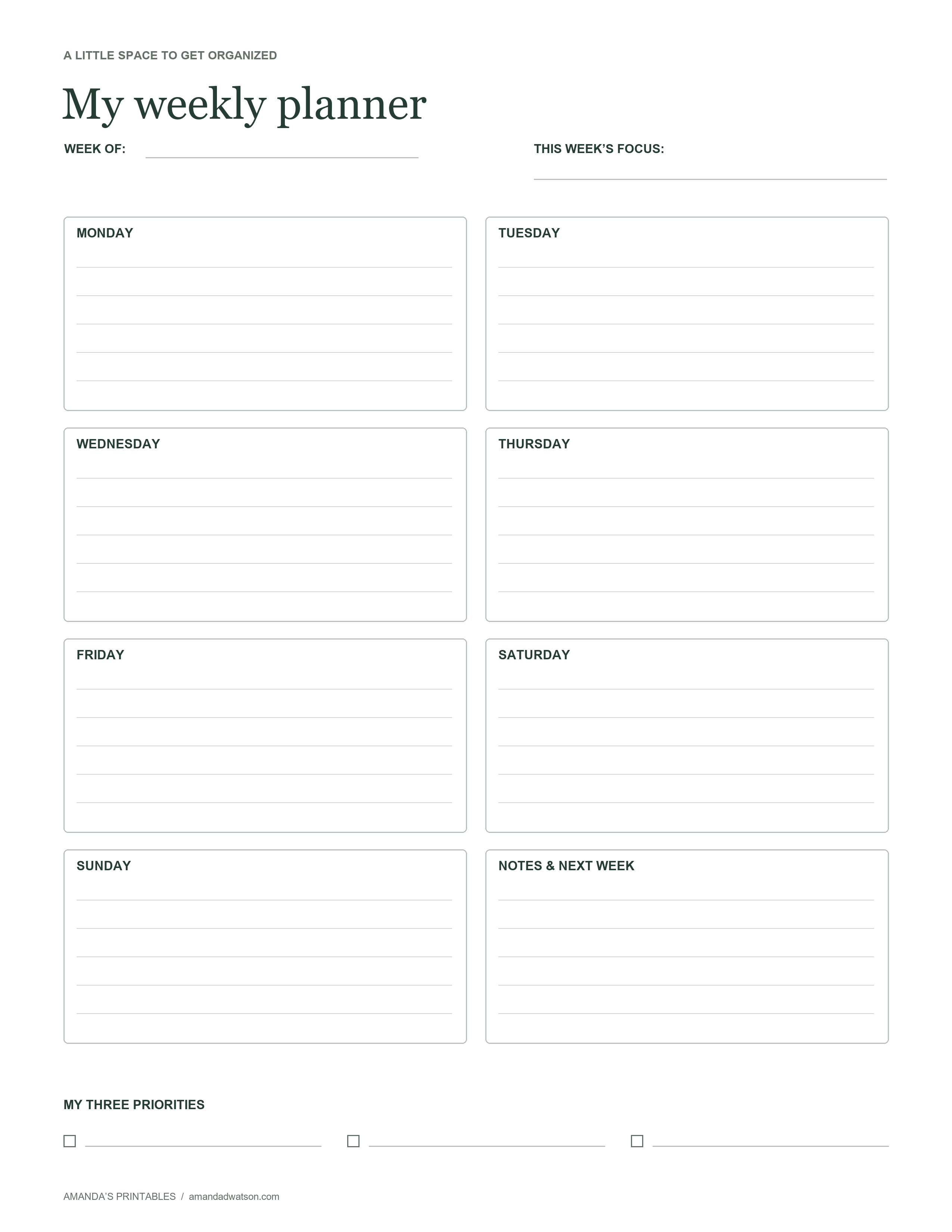
What is on the page?
- Week of: Write the date for the beginning of your week.
- This week’s focus: Give the week a theme, such as finishing one project or making evenings less rushed.
- Seven daily boxes: Add appointments, reminders, errands, or a short list of tasks.
- Notes and next week: Keep ideas and future reminders separate from today’s commitments.
- My three priorities: Choose a small set of outcomes that matter most.
The original PNG measures 2,550 × 3,300 pixels. Its proportions match US Letter paper, and the design uses dark text, subtle rules, and a white background to keep the page readable without large blocks of ink.
How to use this undated weekly planner
1. Add the things that already have a time
Start with appointments, classes, work shifts, or other fixed commitments. You do not need to copy every detail from your calendar. A short reminder is enough to show where the week already has structure.
2. Choose three realistic priorities
Look at the space that remains before deciding what to take on. Instead of writing “organize the house,” choose a smaller result, such as “clear the kitchen counter.” A task with a clear finish is easier to place on a specific day.
3. Spread out the everyday jobs
Give errands and household tasks a home during the week. You might write grocery shopping on Tuesday and laundry on Thursday. Leave some lines blank so a changed appointment or an unexpected job does not require rewriting the entire plan.
4. Review and reset
At the end of the week, check what still matters. Move a useful unfinished task to the notes box, let go of a task you no longer need, and start a new page. The planner is a working tool; crossed-out lines and changed plans are welcome.
Download and printing tips
Use Download image to save the original PNG. If you prefer a document, choose US Letter PDF or A4 PDF and select Download PDF. The website creates a one-page PDF from the same image in your browser, with margins and without stretching the design.
For US Letter, select 8.5 × 11-inch paper. For A4, select 210 × 297 mm paper and choose the A4 PDF option. The Letter-shaped design will have a little extra white space on A4. Check the print preview before printing; use actual size for the generated PDF, or fit to page if your printer clips an edge.
Ordinary white printer paper works well for a page you replace each week. The template also remains usable in grayscale. Keep your downloaded original and print another copy whenever you want a fresh start.
Simple ways to make it your own
Use the daily boxes for dinner plans, a student’s assignment reminders, or a short work plan. If you share the page with your household, add initials beside tasks. If a full week feels like too much, fill in only the next two days and leave the rest open.
Common questions
Can I use the planner in any year?
Yes. There are no printed dates, so the same template works for any week or year.
Can I type into the template?
This is a printable image, and the generated PDF is a flat image document. It does not contain fillable fields. Print it and write by hand, or use an image annotation app if you prefer digital notes.
May I print copies for my classroom?
Yes. You may print copies for personal and classroom use. Please share a link to this article rather than reposting the image or downloadable files. Reselling or redistributing the template files is not permitted.
A useful plan does not need to account for every minute. Start with what you know, choose a few priorities, and leave yourself some room.