
Finding reliable directions can sometimes feel overwhelming, especially when you’re on the go. If you’re looking for a straightforward way to get from point A to point B, using MapQuest free printable driving directions is a practical solution. These directions are easy to access and can be printed out for a hassle-free travel experience.
How to Access MapQuest Free Printable Driving Directions
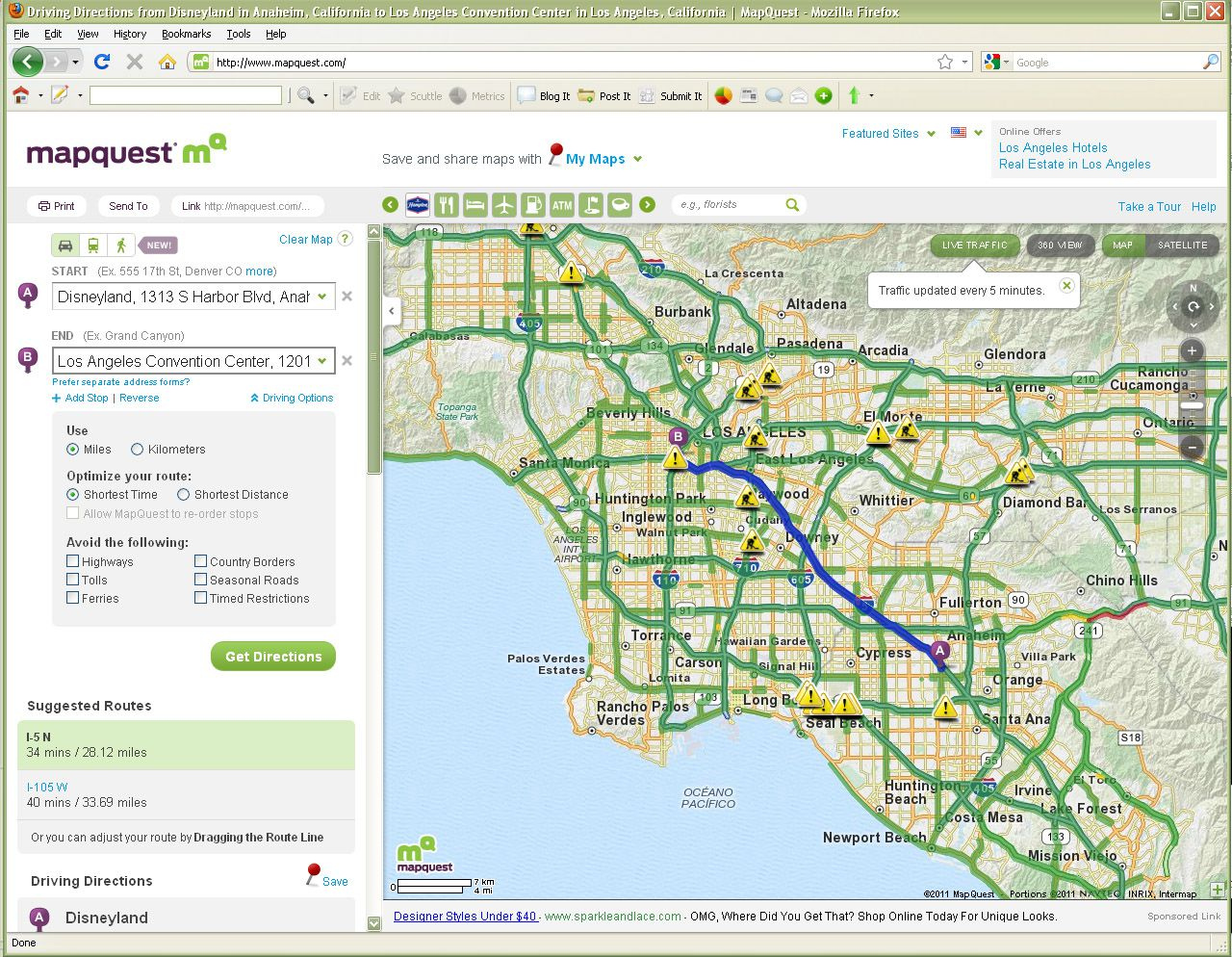
Getting started is simple. First, visit the MapQuest website. Once there, you’ll see a user-friendly interface where you can enter your starting location and destination. After inputting your details, click on the “Get Directions” button. This will generate a list of directions along with a map view.
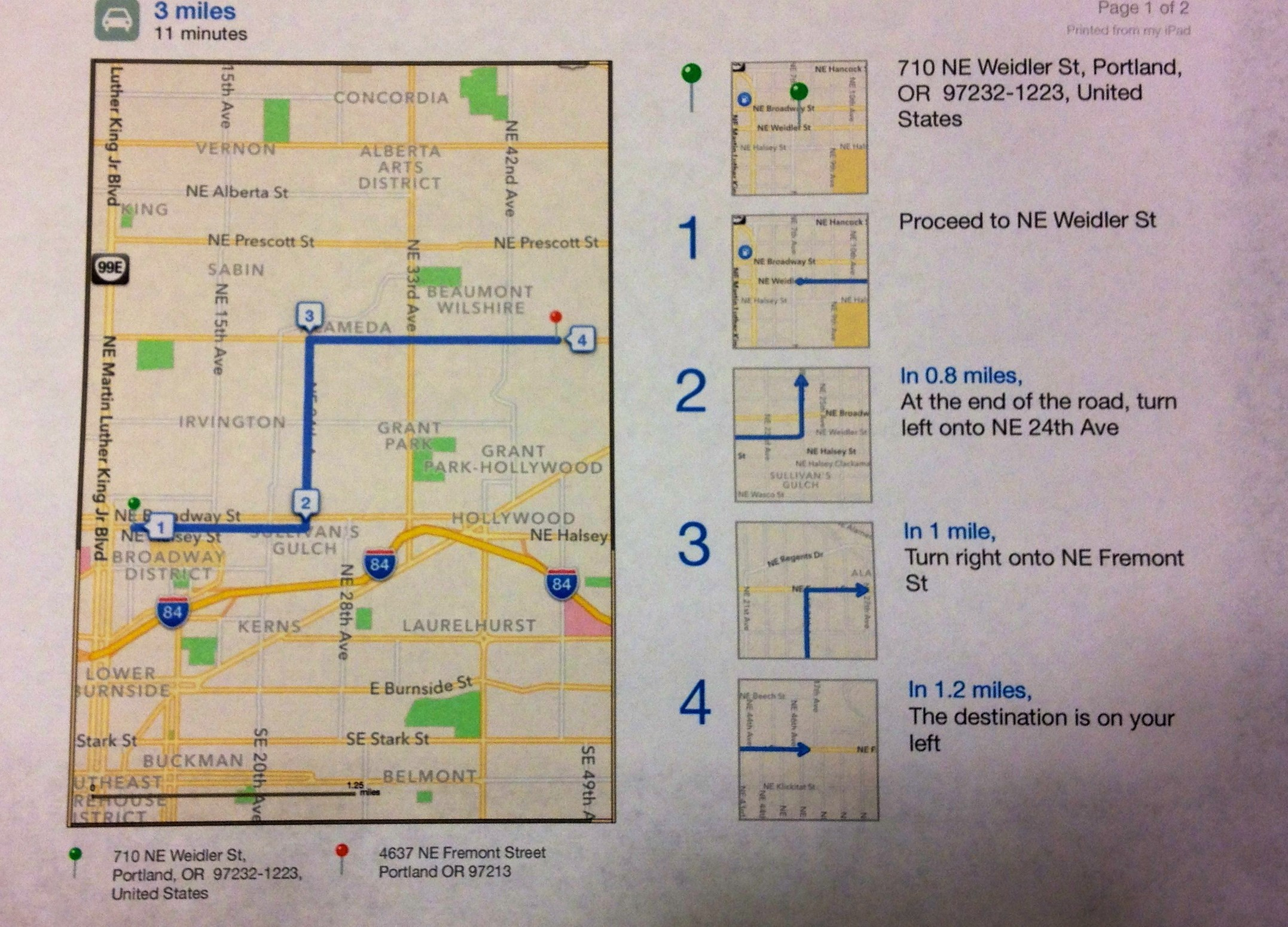
Once your route is displayed, look for a print option, typically located on the side of the screen. Click on it, and you’ll have the ability to print out your directions. Make sure your printer settings are adjusted for a standard letter size (8.5 x 11 inches), which works best for most home printers.
Benefits of Using Printable Directions
One of the main advantages of using MapQuest’s printable driving directions is the convenience they offer. Having a physical copy of your route ensures you won’t get lost due to poor internet connectivity or a dead phone battery. It’s particularly useful when you’re traveling in areas with limited cell service.
Moreover, you can easily annotate your printed directions. Add notes about stops, rest areas, or any landmarks you want to remember. This can enhance your travel experience, allowing for spontaneous detours or explorations along the way.
Tips for Making the Most of Your Printable Directions
While MapQuest provides clear driving directions, there are a few strategies to ensure you get the most out of them:
- Check for Traffic Updates: Before setting off, check the current traffic conditions. MapQuest often updates routes based on real-time traffic data. Adjust your starting point or departure time accordingly to avoid delays.
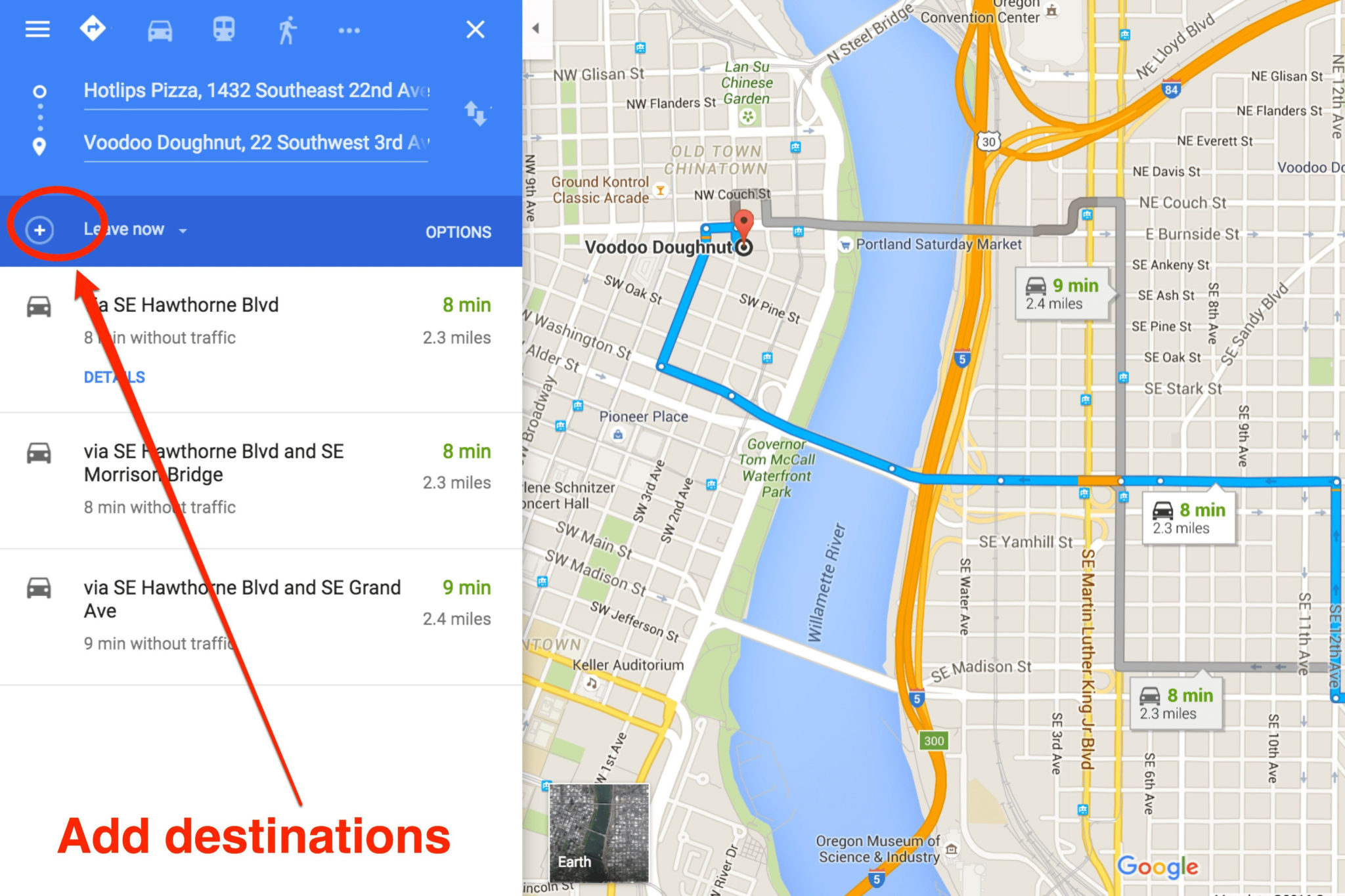
- Multiple Routes: Don’t just settle for the first route that appears. MapQuest usually provides several alternatives. If you’re not in a rush, consider choosing a scenic route for a more enjoyable drive.
- Paper Quality: If you’re planning a long trip, consider printing your directions on heavier paper or even laminating them. This will help them withstand wear and tear during your travels, especially if you’ll be handling them frequently.
- Highlight Important Points: Use a highlighter or pen to mark key junctions, turns, or specific notes on your printed map. This can save you time and confusion while on the road.
- Download and Save: If you prefer to have a backup, consider downloading the directions as a PDF. This way, you can access them digitally if needed or print extra copies.
Alternatives to MapQuest Directions
While MapQuest is a fantastic resource, there are other options you might consider for driving directions:
- Google Maps: Offers similar functionality with features like satellite view and user-generated reviews of locations.
- Waze: Focuses on real-time traffic updates and user-reported incidents, which can help you avoid delays.
- Apple Maps: A good choice for iPhone users, providing seamless integration with other Apple services.
However, if you prefer printed directions, MapQuest remains a reliable choice.
Final Tips for Using Printable Driving Directions
As you prepare for your journey, remember to keep your printed directions easily accessible. Consider using a folder or clip to keep them from getting crumpled or lost.
And here’s a specific tip: Always double-check the starting and ending addresses before printing. This simple step can save you from unnecessary detours and ensure your trip goes smoothly.